







Showpad 2018 Fall Release Customer Hub
Showpad’s Fall ‘18 release introduces new features and improvements that help organizations deliver better buyer experiences at any scale.
This page is intended to help you learn more about the many new features and improvements now available to help make Showpad more valuable for you.
Please contact your Customer Success Manager for more details.

Interactive content
Deliver interactive content for more engaging buyer experiences

Enterprise-ready administration
Grow your organization with scalable content and user management

Greater content insights
Gain greater insight into content impacting revenue

World-class sharing
Streamline your sales workflow with world-class sharing
Interactive content
Deliver interactive content for more engaging buyer experiences
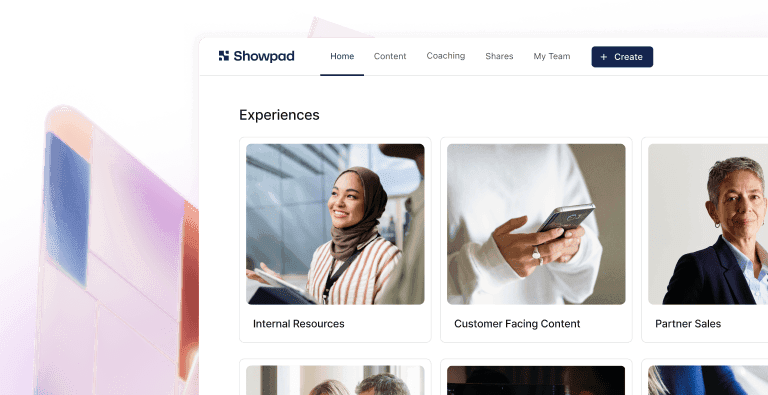
New Pages
Inspire more relevant discussions by organizing related content into visually-appealing, on-brand Pages at scale.
New Embedded media in PowerPoint
Let sellers deliver dynamic presentations (containing videos and GIFs) that allow for a better buyer experience.
Enterprise-ready administration
Grow your organization with scalable content and user management
Improved Scalable user management
Manage large user groups with less effort with improvements such as new advanced filtering and sorting options, and new user insights.
Improved Bulk edit of assets
Manage large content repositories with ease by allowing bulk changes to any asset property.
New Manage feature access by user group
Control who has access to what functionality – and can roll out My Files & Asset Comments on your own timeline.
New Page locking
Keep control over how sellers are mixing and matching content by grouping proprietary and regulated information, so certain pages are always shared together.
Greater content insights
Gain greater insight into content impacting revenue
New Slide-level analytics
Get a granular understanding of how marketing content is performing amongst sellers and prospects by getting insights per slide, page or set of pages that cover a specific topic.
New Admin Email Digest
Be more effective by proactively receiving insights into content usage and platform adoption on a weekly basis.
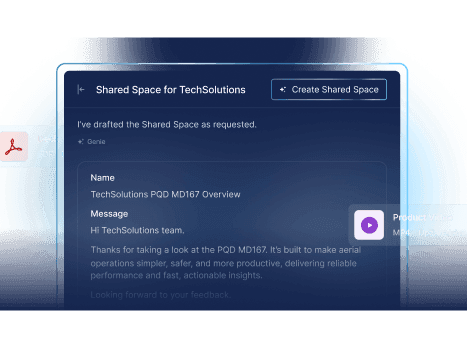
Improved CRM logging for Shared Spaces
Activity logging of Shared Spaces helps you get an overview of sellers’ engagement with buyers through Shared Spaces in Salesforce, SAP C4C or Microsoft Dynamics CRM.
World-class sharing
Streamline your sales workflow with world-class sharing
Improved Sharing improvements
Showpad’s sharing improvements enable sellers to deliver a more personalized message when sharing content, by making the sharing experience similar to a world-class email system (with an email signature, sales profile page, rich text editor, and content sent as hyperlinks).
Improved Email notification settings for Shared Spaces
Help sellers and prospects get notified on the actions that matter most to them, ensuring a better sales experience.
Improved Enhanced Salesforce logging (custom objects)
Showpad’s Salesforce integration now lets you log sharing activities to any custom object with Activities in Salesforce, giving you the flexibility to map Showpad activities to your organizational needs – and optimize your workflow as a result.
New CRM integrations for SAP C4C and Microsoft Dynamics 365
Showpad’s SAP C4C and Microsoft Dynamics 365 integrations allow our customers to automatically log their sellers’ sharing activities to their CRM of choice – giving them a holistic overview of all interactions with prospects.
New Sales engagement integration (Outreach, Salesloft)
Increases sales productivity by letting sellers find and share content from within Outreach or Salesloft, and track individual recipients’ engagement with shared content to perfectly tailor and time any follow up.
Showpad’s Fall ‘18 Release Packaging
| Expand all features | Essential | Plus | Ultimate |
|---|---|---|---|
| Features | |||
| CRM integrations (SAP C4C, MSFT Dynamics 365) | |||
| SFDC Enhancements - Custom objects | |||
| Shared Spaces - CRM Logging | |||
| Pages | 3 templates | Blank canvas | |
| Shared Spaces - Email notification settings | |||
| Sales engagement integration (Outreach, Salesloft) | |||
| Admin email digest | |||
| Sharing improvements* | |||
| Page Locking* | |||
| Slide-level analytics* | |||
| Support for embedded media in PPT* | |||
| Improved administrative capabilities* | |||
| *Also available for customers licensing Professional and Enterprise packages | |||