









Digital sales rooms have become a common investment for revenue leaders. A digital sales room (DSR) is a secure, persistent online workspace where sellers and buyers collaborate throughout a deal, sharing content, tracking milestones, and moving decisions forward even when no one is on a live call. Gartner now ranks DSRs among the most critical software investments for chief sales officers, alongside generative AI.
The global DSR market is projected to reach approximately $2.27 billion, growing at a CAGR of roughly 12.5% through 2030 (Regional Research Reports). Gartner predicted that 80% of B2B buyer-supplier interactions would shift to digital channels — and that reality is here. The right DSR shapes the buyer experience when your rep isn’t in the room.
Not all DSRs are equal. Point solutions move fast and keep things simple. Unified suites connect content, coaching, and analytics in one place and are aimed at closing larger, more complex deals. This ranked comparison breaks down ten leading platforms so you can match DSR capabilities to your deal complexity, team structure, and go-to-market motion.
At-a-glance comparison table
| Platform | CRM sync | Content analytics | Pricing automation | AI features | Offline support |
|---|---|---|---|---|---|
| Showpad | Bidirectional; multi-CRM | Space-level engagement (visits, participants, assets viewed) | Via integrations | Genie-assisted insights, next-best actions | ✅ Native offline access |
| Allego | Bidirectional | Document & video-level tracking | Via integrations | AI Deal Alerts, SmartDocs | ❌ |
| DealHub | Bidirectional | Proposal-level tracking | Native CPQ, dynamic pricing, e-sign | AI-guided quoting | ❌ |
| Dock | Bidirectional (HubSpot, Salesforce) | Checklist & milestone tracking | Via integrations | Limited | ❌ |
| Flowla | Bidirectional | Stage-level gating analytics | Via integrations | AI-assisted room generation | ❌ |
| GetAccept | Bidirectional | Document-level tracking | Via integrations | Limited | ❌ |
| Highspot | Salesforce-first, deep custom objects | Enterprise content analytics | Via integrations | AI content recommendations, search | ❌ |
| Mindtickle | Bidirectional; custom object mapping | Deal-health analytics tied to readiness | Via integrations | Coaching-triggered AI | ❌ |
| Seismic | Bidirectional | LiveDocs engagement tracking | Via integrations | Document automation AI | ❌ |
| Trumpet | Two-way HubSpot/Salesforce | Buyer-side signal tracking | ❌ | Limited | ❌ |
Offline support is a column most competitor comparisons leave out, and for field sellers presenting on factory floors, at trade shows, or in remote facilities, it can affect the buyer experience.
Ranked platform reviews
1. Showpad, Shared Spaces
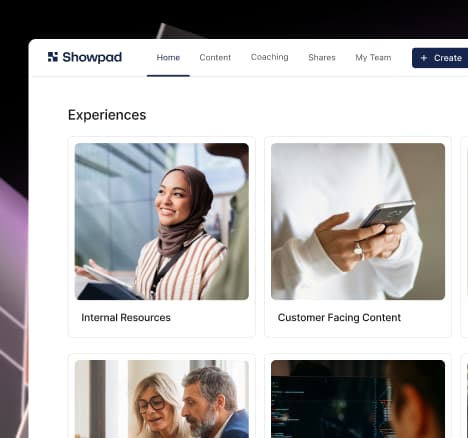
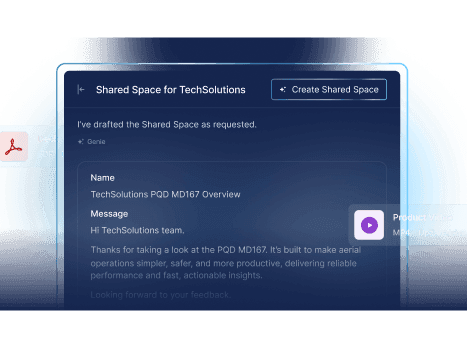
Showpad’s DSR product Shared Spaces is a collaborative, enterprise-ready digital sales room built for both buyers and sellers. Unlike platforms that treat DSRs as a one-way file dump, Shared Spaces is a persistent, two-way workspace: buyers can upload documents, invite stakeholders, leave comments, and book meetings through in-room Quick Actions. Sellers pull approved, on-brand content directly from Showpad’s Content Library, so updates to source assets automatically flow through to every active Space, eliminating version sprawl across deals. For organizations selling complex physical products, Shared Spaces supports 3D product visualization, letting buyers interact with SKUs or components inside the room. For field sellers working in low- or zero-connectivity environments, native offline access means a rep can present and share assets even at 3% battery on a plant floor.
Showpad Genie is embedded in the platform to surface deal intelligence and recommend next-best actions based on in-room engagement signals. A centralized management dashboard gives admins governance at scale, with pre-built branded templates, programmatic asset upload via APIs, and ownership transfer controls to keep operations clean as room volume grows.
Showpad’s internal data shows a 59% higher win rate when a Shared Space receives 20 or more visits, a 71% higher win rate when three or more participants join, and a 45% higher win rate when at least five assets are viewed. Operationally, organizations report onboarding roughly 2.5 weeks faster, sales cycles shortened by 2.5 weeks, and a 10% boost to sales productivity.
Key features:
- Native Mutual Action Plans with milestones, owners, due dates, and automatic notifications
- Two-way buyer collaboration: uploads, commenting, invites, in-room scheduling
- Content governance via connected Content Library
- 3D product visualization and offline access for field sellers
- Genie-assisted deal intelligence and next-best-action recommendations
- Centralized management dashboard with admin templates and RBAC
- CRM and sales engagement platform integrations for pipeline and forecasting sync
G2 rating: 4.6/5
Best for: Field-first revenue teams selling complex products who need DSRs embedded in content governance and enterprise enablement. Over 2,000 sales organizations use Showpad today.
2. Allego
Allego delivers DSRs as secure, branded microsites with a standout capability: native asynchronous video embedded directly into rooms. This lets reps humanize the buyer portal with personalized video walkthroughs rather than relying solely on static documents. Allego’s AI Deal Alerts monitor buyer engagement and flag deal risks or momentum shifts, while SmartDocs uses AI to generate documents without heavy prompt engineering. With the launch of Allego 9, the platform tightens the connection between DSRs, content management, and coaching into a unified revenue enablement suite.
Key features:
- Branded microsites with native async video
- AI Deal Alerts and SmartDocs for document creation
- DSR templates with pre-configured workflows
- Unified with content management and coaching modules
- Standard CRM, video, and outreach integrations
Pros: Unifies DSR, content management, and coaching in one platform; practical, pre-configured AI embedded in daily workflows.
Cons: The full feature set may be heavier than needed for teams that simply want lightweight link sharing.
G2 rating: 4.6/5
Best for: Unified revenue enablement with AI-powered deal execution.
3. DealHub
DealHub’s DSR is purpose-built for the transactional heart of a deal. Its rooms tightly integrate CPQ, dynamic pricing tables, contract management, and e-signatures, so buyers can configure products, review quotes, and execute contracts without leaving the workspace. If your deals live or die on pricing accuracy and proposal speed, DealHub keeps the entire quote-to-cash motion inside a single room.
Key features:
- In-room CPQ configuration and dynamic pricing
- Native contract management and e-signatures
- Proposal-level engagement tracking
- Bidirectional CRM sync
Pros: Minimizes pricing and calculation errors; keeps the full transactional workflow inside the room.
Cons: Narrow focus on proposal-to-contract, less suited for early-stage buyer education or content-rich deal experiences.
G2 rating: 4.7/5
Best for: CPQ-driven deal execution and complex pricing environments.
4. Dock
Dock takes a checklist-driven approach to DSRs, optimizing for structured onboarding and post-sales handoffs. Its interactive Mutual Action Plans, persistent implementation checklists, and real-time Slack notifications make it a strong choice for customer success teams managing complex go-lives. Native e-signatures round out the workflow so handoff milestones and agreements stay in one place.
Key features:
- Checklist-driven DSRs with interactive MAPs
- Persistent implementation and onboarding checklists
- Real-time Slack notifications on milestone progress
- Native e-signatures
- Two-way HubSpot and Salesforce sync
Pros: Excellent visibility during customer onboarding and implementation phases.
Cons: The UI tends toward dense, text-based lists, less visually engaging for early-stage sales pitch experiences.
G2 rating: 4.7/5
Best for: Structured onboarding and post-sales handoffs.
5. Flowla
Flowla differentiates with gated workflows and strict milestone enforcement inside its DSRs. Automated stage progressions and dependency rules mean buyers unlock the next piece of content only after completing a prior step. This is particularly valuable for regulated industries or audit-sensitive processes where content access must follow a documented sequence. AI-assisted room generation and white-glove onboarding support reduce setup friction for administrators.
Key features:
- Gated workflows with milestone enforcement and dependency rules
- Automated stage progressions
- AI-assisted room generation
- White-glove onboarding support
Pros: Controls deal pacing; strong for regulated or audit-sensitive gating of content and stages.
Cons: Gated rules can introduce friction for fast-moving buyers; higher administrative setup overhead.
G2 rating: 4.9/5
Best for: Teams that require strict milestone-based progression and gating.
6. GetAccept
GetAccept splits its DSR into two distinct workflows: a Deal Room for proposals and a Contract Room for signatures. In-room chat, video messaging, and document-level tracking let sellers monitor exactly where a contract stands. Real-time document editing and native e-signatures make it efficient for final-agreement workflows where the priority is getting ink on paper quickly.
Key features:
- Split Deal Room and Contract Room workflows
- In-room chat and video messaging
- Document-level tracking with real-time editing
- Native e-signatures
Pros: Efficient final-agreement workflows and clear contract tracking.
Cons: Focused on document execution; limited for broad content repositories or rep coaching use cases.
G2 rating: 4.6/5
Best for: Contract tracking and e-signature-centric closing workflows.
7. Highspot
Highspot connects its Digital Rooms to a large-scale enterprise content repository with heavy governance and compliance controls. Mutual Action Plans, AI-powered content recommendations, and deep search capabilities help sellers surface the right asset at the right time. Native Salesforce-first integrations allow reps to share rooms directly from CRM records, reducing context switching. The DSR is a module layered onto a content-first platform, and linking readiness or coaching to buyer engagement may require manual operational work. The announced merger with Seismic also introduces some roadmap uncertainty that organizations should factor into long-term planning.
Key features:
- Digital Rooms connected to enterprise content repository
- Compliance and governance controls
- AI content recommendations and enterprise search
- Native Salesforce-first integrations
- Mutual Action Plans
Pros: Strong compliance and governance controls; deep search and content-driven features.
Cons: DSR is an add-on to a content-first platform; merger with Seismic introduces roadmap and timeline uncertainty.
G2 rating: 4.7/5
Best for: Enterprise content repositories and regulated environments with deep Salesforce customizations.
8. Mindtickle
Mindtickle’s DSR stands out for its tight integration with readiness and coaching programs. Buyer engagement signals from rooms map back to rep training workflows, so if a seller’s rooms consistently underperform on stakeholder engagement, coaching can be triggered automatically. Bidirectional CRM sync with custom object mapping, deal-health analytics, MAPs, and workspace tracking round out the feature set. The trade-off is a heavier administrative footprint, as the DSR is an add-on to a readiness-first platform, and the buyer-facing experience may feel secondary to the internal coaching loop.
Key features:
- DSR engagement signals tied to rep coaching and readiness programs
- Bidirectional CRM sync with custom object mapping
- Deal-health analytics
- Mutual Action Plans and workspace tracking
Pros: Ties buyer engagement to internal coaching; strong CRM mapping.
Cons: Heavy administrative footprint; buyer experience may be secondary to the readiness-first design.
G2 rating: 4.7/5
Best for: Organizations that want DSRs to inform rep training and coaching programs at enterprise scale.
9. Seismic
Seismic brings enterprise-grade document automation to its DSRs through LiveDocs, which dynamically assemble and personalize documents at scale. Strict permissioning, engagement tracking, and template-driven workspaces make it a fit for regulated industries where compliance controls are non-negotiable. The platform is built for governance-first workflows that persist across the full customer lifecycle. Legacy architecture can introduce complexity and a steep learning curve, and the merger with Highspot raises questions about near-term product direction.
Key features:
- LiveDocs document automation
- Strict permissioning and compliance controls
- Engagement tracking across document lifecycle
- Template-driven persistent workspaces
Pros: Advanced document automation and compliance controls for regulated and large enterprises.
Cons: Legacy architecture can be complex with a steep learning curve; merger with Highspot introduces roadmap uncertainty.
G2 rating: 4.7/5
Best for: Enterprise document automation and regulated-industry DSR needs.
10. Trumpet
Trumpet is a lightweight, point-solution DSR designed for speed. Its drag-and-drop widget builder and native MAPs let agile teams spin up rooms in minutes, and a freemium tier lowers the barrier to entry. Two-way HubSpot and Salesforce sync is available, though analytics are focused primarily on buyer-side signals. Trumpet trades depth for velocity, ideal for small teams that need fast MAP deployment without heavy ops overhead, but limited when it comes to readiness, coaching, or enterprise governance.
Key features:
- Drag-and-drop widget builder for rapid room creation
- Native Mutual Action Plans
- Two-way HubSpot and Salesforce sync
- Freemium tier available
Pros: Quick to deploy; low admin overhead; freemium option for budget-conscious teams.
Cons: Minimal readiness or coaching features; analytics limited to buyer-side signals.
G2 rating: Not publicly listed.
Best for: Agile teams that need fast, low-friction DSRs and MAP deployment.
How to choose the right DSR platform
Selecting a DSR is not a feature-counting exercise. The right platform depends on your deal complexity, team structure, and how your sellers actually work. Use the following four-criteria framework to narrow the field.
Point solution vs. unified suite
If your team needs simple link sharing and basic MAPs, a point solution like Trumpet or Flowla can be deployed quickly with minimal overhead. If you want DSRs tightly connected to content governance, coaching, and readiness to reduce the time spent switching between disconnected tools, a unified suite like Showpad, Allego, or Highspot will deliver more compounding value over time.
Analytical depth and CRM strategy
Not all CRM integrations are created equal. Prioritize platforms with deep bidirectional sync and custom object mapping so in-room engagement events (who viewed what, when, and for how long) flow directly into your forecasting and pipeline models. One-way alerts are a starting point; custom object mapping is the standard for enterprise deal intelligence.
Setup complexity and rep adoption
A DSR that requires weeks of admin configuration and heavy ops support will struggle with rep adoption. Look for guided templates, pre-built automation, and intuitive room builders that let sellers deploy rooms in minutes. Evaluate total cost of ownership, not just the license fee, but integration, admin, and ongoing maintenance costs, including the ops headcount needed to manage templates and workflows at scale.
Field selling and offline access
This criterion is often omitted from comparisons, and it affects teams that sell in the field. If your reps present on factory floors, at customer sites, or at trade shows where connectivity is unreliable, offline access is a deal requirement. Rich media capabilities such as 3D product visualization let sellers demonstrate complex physical SKUs interactively inside a room, replacing static PDFs with experiences that mirror the real product. Showpad’s architecture is built for this field-first motion, combining offline access, 3D viewers, and a mobile-optimized experience in a way that most DSR platforms do not offer. This helps preserve deal momentum when connectivity drops.
Frequently asked questions
A good DSR goes beyond file sharing. It should offer native Mutual Action Plans with milestones and owners, granular intent analytics that reveal which buying committee members engaged with which assets, deep bidirectional CRM sync, and workflow integrations for e-signatures, CPQ, and outreach. The best DSRs are persistent, they support the deal from first meeting through post-sale onboarding and expansion, not just until the contract is signed. Security fundamentals like encryption, role-based access control, SSO, and enterprise permissioning are table stakes for any platform handling sensitive deal content.
A content management system organizes, governs, and distributes sales assets internally. A DSR is the external, buyer-facing workspace where those assets come to life in the context of a specific deal. The most effective platforms connect the two: sellers pull approved content from a governed library into a DSR, and engagement data from the room flows back to inform content strategy. Showpad’s Shared Spaces, for example, inherit updates from the Content Library automatically, so a revised case study or pricing sheet appears in every active Space without manual re-uploads.
Start by mapping your deal motion. Complex, multi-stakeholder deals with long cycles benefit from unified suites that connect DSRs to content governance, coaching, and analytics. Simpler transactional deals may only need a point solution. Then pressure-test five areas: CRM sync depth, AI governance and data ownership (is AI grounded in your proprietary content, explainable, and compliant with data residency requirements?), field-readiness features like offline access and mobile workflows, lifecycle persistence beyond signature, and total cost of ownership including integration and ops burden. Pilot with a real deal team, measure adoption and engagement, and let the data guide your decision.