










In high-stakes, high-complexity industries like med dev and manufacturing, growth isn’t just about adding headcount.
It’s about scaling without slipping. Scaling without shadow systems. Scaling without putting your commercial engine at risk.
And that requires more than great content or well-trained reps — it requires an operational backbone that actually holds.
The hidden cost of admin chaos
Admins are the unsung heroes of go-to-market execution. They manage users. Maintain content hygiene. Coordinate access, permissions, and compliance across dozens of sellers, systems, and workflows.
But in most orgs, that work is manual, reactive, and invisible — until something breaks:
- A rep leaves, and their buyer-facing digital sales room sits unmanaged for months.
- New sellers join, but don’t get the right content until eight weeks in.
- A product launch goes live, but outdated collateral is still circulating in the field.
The impact isn’t theoretical. It hits your revenue. It hits your brand. And worst of all — it hits your buyer’s confidence in your company.
Why traditional industries feel it most
You’re expected to scale with precision.
But if you’re in med dev, manufacturing, or another traditional vertical, the admin burden is heavier — and the consequences of missteps are steeper.
You’re not just managing a sales team. You’re coordinating field reps, partner sellers, and regional teams across EMEA, APAC, and North America. Content must be compliant. Access must be controlled. Launches must be aligned.
All while your systems are evolving, your teams are shifting, and your tools are under pressure to do more with less.
Except most platforms aren’t designed for that level of operational nuance. That’s where Showpad comes in.
Smart systems = Strategic advantage
We believe enablement isn’t just about empowering the rep — it’s about orchestrating the system behind them.
That’s why our latest product updates are built to reduce manual admin overhead and turn back-office complexity into front-line clarity.
With the new Shared Spaces Management Dashboard, enhanced Automation Rules and revamped User Management, admins can stop putting out fires — and start driving scalable impact.
Shared Spaces Management Dashboard: Control at scale
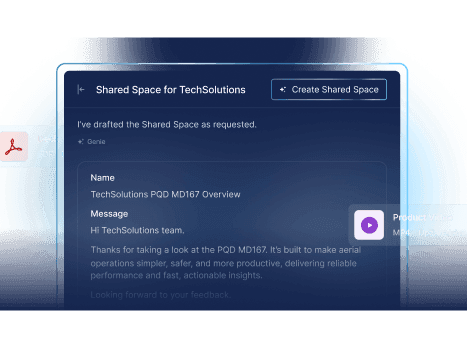
Shared Spaces are where deals move forward. But without oversight, they can quickly become outdated or misaligned with your latest messaging. Our latest dashboard gives admins centralized visibility and control:
- Audit what’s live: See all active Shared Spaces across teams, products, or regions.
- Spot what’s stale: Filter by inactivity or last engagement to flag outdated Spaces.
- Act quickly: Transfer ownership, preview content, and ensure consistency in just a few clicks.
- Benchmark and scale: Identify which Shared Spaces are performing — and use them as models.
Business impact: Your admins don’t have to hunt down issues. They can proactively surface insights, fix inconsistencies, and scale what works — all without disrupting your frontline teams.
Automation Rules: Smarter system hygiene
Admin tasks like archiving content, updating user groups, and deactivating old accounts are essential — but they shouldn’t require constant oversight. With our latest automation enhancements, you can:
- Schedule recurring workflows (hourly, daily, weekly): Automatically run clean-up tasks overnight — like archiving old content or updating user groups — so your team isn’t manually maintaining the system every Friday.
- Auto-archive content that hasn’t been used in X days: Prevent sellers from using outdated product brochures or pricing sheets by automatically archiving any asset that hasn’t seen buyer or seller engagement in 60+ days.
- Assign or remove users from groups based on metadata: Automatically remove users from an onboarding group once they complete a certification or learning path — so they stop receiving beginner-level content and start engaging with more advanced, role-specific materials.
Business impact: You reduce the risk of outdated materials staying in play. You keep your user base clean and structured. You give your team back hours each week — to focus on strategic enablement, not system cleanup.
Admins aren’t just keeping the lights on. They’re powering the engine.
With the right tools, admins don’t just maintain systems — they enable scale. They safeguard compliance. They accelerate launches. They ensure every buyer-facing interaction reflects the strategy you’ve worked so hard to craft.
It’s time to stop treating admin work as an afterthought. And start investing in the infrastructure that makes strategic execution possible.
Showpad gives your admins superpowers — so your entire commercial team can move faster, smarter, and with more confidence.
Admins shouldn’t just keep up — they should lead the way.
Discover what’s new in the platform and request a Showpad demo.

Frequently asked questions
The Shared Spaces Management Dashboard gives admins centralized visibility and control over all active Shared Spaces across teams, products, and regions. Admins can audit what’s live, filter by inactivity or engagement to flag stale spaces, transfer ownership, preview content, and identify top-performing spaces to use as models — all from one view.
Automation Rules let admins set up recurring workflows that run on a schedule — hourly, daily, or weekly. Common use cases include auto-archiving content that hasn’t been used within a set timeframe, automatically assigning or removing users from groups based on metadata like certification completion, and running system clean-up tasks overnight so teams aren’t spending manual hours on maintenance.
Shared Spaces are where deals move forward, but without oversight, they can become outdated or misaligned with current messaging. The dashboard lets admins see which spaces are active, which are stale, and which are performing well. They can transfer ownership, preview content, and ensure every buyer-facing space reflects the latest strategy — without disrupting the frontline team.
Admins are the operational backbone of your enablement platform. They manage users, maintain content hygiene, coordinate access and permissions, and ensure compliance. When admin work is manual and reactive, outdated content circulates in the field, new reps wait weeks for the right materials, and buyer-facing experiences fall out of alignment with your strategy. Investing in smarter admin systems directly protects your revenue, your brand, and your buyer’s confidence.
Everyone in the revenue organization benefits. Admins get more efficient workflows and fewer fire drills. Sellers get the right content faster and stop encountering outdated materials. Marketing and enablement teams gain confidence that their launches and messaging are reaching the field as intended. And leadership gets assurance that the commercial engine is running cleanly at scale.
In regulated industries like medical devices and life sciences, outdated or non-compliant content reaching the field can create serious business and legal risk. Automation Rules help mitigate that risk by ensuring content is archived on schedule, user access is controlled based on role and certification status, and system hygiene is maintained consistently — without relying on manual checks that can be missed.