










At a glance
- Give sellers a reliable path to the right approved material, even as products, prices, and permissions change.
- A governed library helps sellers find the approved version, but the policy must also account for downloaded copies and buyer-facing links.
- Field and partner teams need explicit rules for offline updates, regional access, and revoked permissions.
- AI can help find, classify, and flag content across a large library, but approvals and access rules still need human ownership to be reliable.
Sellers can only use the right content when approvals, access, and updates reach the places they actually work. When sellers rely on AI assistants to surface or summarize materials, the assistant can return outdated or restricted content if the source permissions, approval status, or retrieval index are not kept current.
A product spec changes on Monday. On Thursday, a field seller presents last quarter’s PDF to a customer because it was saved on a tablet and easy to find. Marketing published the correct version, but publishing it did not remove the old one from the seller’s workflow.
That gap between making content and using it is a sales content governance problem. It grows when teams sell many products, work across regions, or rely on distributors. A seller may need a current spec on a plant floor with no connection. A partner may need a different approved price sheet from an employee in another market. A shared folder cannot make those decisions for them.
What is sales content governance?
Sales content governance is the set of policies, workflows, and platform controls that determine how sales materials are created, approved, distributed, used, updated, and retired. Its purpose is to help each seller find and share content that is current, appropriate for the buyer, and approved for that seller’s role and market.
A library is part of the system, but storage alone does not govern content. A shared drive can hold five versions of a deck. Governance answers which version is approved, who can share it, when it expires, and what happens to buyer-facing links when it changes. It also assigns people to the decisions: marketing may own the message, product teams may verify specifications, legal may review regulated claims, and enablement may manage distribution and adoption.
The rules apply to buyer-facing assets such as presentations, case studies, product sheets, and pricing documents. They also apply to seller resources such as playbooks and competitive guides. If a playbook cites an old product claim, a rep can carry that error into a live conversation even without sending the file.
Governance is distinct from content creation. A team can produce excellent materials and still leave sellers choosing between an approved asset and a familiar outdated copy. That is why a content owner needs a lifecycle for each asset: a reason to create it, an approval path, a distribution plan, a review date, and a retirement decision.
Why does sales content governance break down at scale?
Governance usually breaks when content changes faster than people can reconcile copies, permissions, and sharing habits. Four failure modes show up repeatedly.
1. Multiple repositories create competing versions
A deck may live in SharePoint, a product spec in a drive, and a customer-ready PDF in an email thread. Even if each location has an owner, the seller has to guess which version to use. A governed sales library should bring the approved selling version into the rep’s workflow while respecting the source system where the asset is maintained.
2. Published content stays active too long
Teams often track launches more closely than retirement. Old packaging, claims, specifications, or prices remain findable after the replacement is ready. Assign an expiry or review date when the content is published. Decide whether an expired asset should disappear from seller access, trigger owner review, or be replaced in existing shared experiences. Check how your platform handles downloaded copies separately.
3. Reviews happen in inboxes
If no one knows which changes need legal or product signoff, a small update can sit for weeks, while an urgent asset may reach the field before the right reviewer sees it. Define reviewers by asset type and risk. Give the team a visible approval state so the seller never has to interpret an email chain as permission to share.
4. Distribution is invisible
Publishing is not adoption. Marketing needs to know which approved materials sellers open and share, and which assets buyers spend time with. Usage data can reveal a gap between the official library and the way deals actually run. It should inform a content decision: refresh, retrain, retire, or create something the team cannot currently find.
The common thread is ownership. Every active asset needs someone who can answer, “Is this still correct, and should this audience still have it?”
Which five capabilities make content governance work?
A governance policy only helps if sellers can use the approved material and content owners can keep it current. These five capabilities turn the policy into a repeatable workflow.
1. A governed library sellers can navigate
Sellers need a reliable place to find approved content for their product, buyer, region, and deal stage. Consistent tags, role-based access, and search terms drawn from seller language make the current version easier to find than a saved copy. If the library also powers AI search, its results depend on accurate approval status, permissions, metadata, and an up-to-date retrieval index.
- Own and approve: Assign an owner to each asset record and an approver appropriate to the claim or asset type.
- Publish for the right audience: Apply role and region access before sellers can find the approved asset in the library or CRM workflow.
- Review what gets used: Check the asset on its review date and compare seller use with what is available but rarely found.
GE HealthCare needed one place for current, approved content across its sales and field marketing teams. Its Showpad rollout gave those teams a centralized source and a way to distribute relevant, approved material to sellers.
2. Version control and a real retirement path
When content changes, a seller should see the approved replacement without interpreting filenames such as “v2” or “old.” Assign a review date to prompt an accuracy check and an expiration date when time-bound material should stop being used. A date on a record does not block access unless the policy and platform enforce that rule.
A replacement has to be checked wherever the asset is used: the library record, seller search, buyer-facing links, and downloaded copies. A downloaded attachment does not update with the library.
Decision test: Replace a time-bound approved asset. Check what sellers find, what a returning buyer sees in a linked room, and what remains in a previously downloaded file. Record which copies need a direct notice or manual replacement before declaring the old version retired.
3. Approval and publishing rules tied to risk
A corrected slide color and a revised clinical claim need different review paths. Define who can draft, approve, and publish each asset type, and when a revision needs fresh approval.
- Route the change: Send technical claims to the product owner, regulated claims to legal, and pricing changes to the appropriate finance or revenue owner under your policy.
- Record the decision: Show approved status to sellers at the point of use, with the approver and published date in the version history.
- Test a revision: Trace a material claim from draft through signoff to seller access. Check that an AI search index reflects the approved replacement and excludes drafts or expired versions as policy requires.
Automation can flag or route work, but a person must approve a sensitive claim before it is published.
4. Controlled sharing with buyers
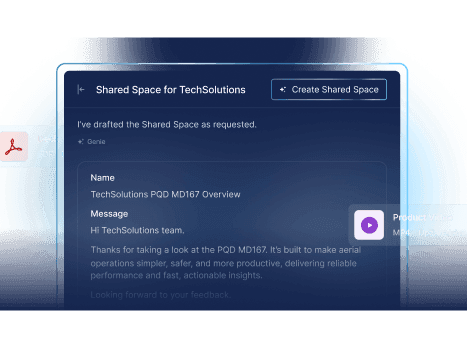
Set rules for what sellers may share externally and whether the buyer receives a linked experience or a file. For example, Showpad Shared Spaces are digital sales rooms where sellers can share approved Content Library materials with buyers.
Decision test: Share the same approved asset in a library-linked room and as an emailed attachment. Update the asset, then check which version each buyer sees. A linked room may show the replacement when reopened, depending on the configuration; the emailed attachment will not update automatically. Use the result to set a correction and notification process for active deals.
5. Analytics that lead to content decisions
What to measure: Look at whether sellers find and share approved assets, what buyers engage with, how quickly stale materials are replaced, and which questions AI search fails to answer. Where CRM context is available, compare usage with deal stage, performance, or outcome. A view or correlation does not prove the asset caused a deal to close.
What to do next: Bring a pattern to the content owner. They can revise an asset, improve its tags or search terms, train sellers on its use, or retire it. An unanswered question may point to missing content, poor tagging, or a retrieval issue; investigate before choosing a fix.
Decision test: Choose one underused asset or recurring unanswered question. Make one owner-led change, then check the same signal in the next review cycle to see whether it improved.
How does AI impact sales content governance?
AI has two roles in content governance: it can help teams administer a large library, and it can help sellers find and use approved material. Both depend on the same underlying rules for ownership, approvals, versions, and access. Without those rules, AI can make an outdated claim easier to find and repeat.
Use AI to reduce routine library work. A content owner can use AI to suggest tags, product names, audience labels, and search terms for new assets; identify near-duplicate decks; and flag files that mention a superseded price, product name, or claim. AI can also surface assets approaching a review date and suggest an appropriate reviewer based on the asset type. AI can do this transparently in the background, or be triggered based on a certain event such as updating an asset. Treat those outputs as a review queue, not an approval decision: a person checks the proposed metadata, assesses the change, and signs off before a material claim is published.
Use AI to guide sellers to approved content. Search, next-best actions, and recommendations can interpret a seller’s question and return the current asset for that seller’s role, region, product, and deal context. A generated summary or answer should point back to its approved source so the seller can check the wording before sharing it with a buyer. This is especially useful when sellers describe a need in their own words rather than knowing an internal file name. It only works reliably if the library has accurate metadata and permissions, and if retrieval uses the current approved version.
Make change control part of the AI workflow. When a product specification changes, the owner should be able to identify affected assets, route them through review, publish the approved replacements, and check that search and AI answers no longer surface the old claim. Test with a seller in a permitted region and one without access. Then repeat after revoking permission or retiring the asset. Check downloaded and offline files separately because updating an AI index cannot recall a copy already outside the library.
Measure whether this helps: review how often AI suggestions need correction, whether sellers reach the right approved asset, how quickly stale results disappear after an update, and which questions still go unanswered. Use those findings to improve tags, content coverage, permissions, and review rules. Keep human approval for sensitive claims and verify behavior in the actual deployment rather than assuming that an AI feature enforces the policy automatically.
How do you set up sales content governance?
Start with one high-change asset type rather than a library-wide cleanup. A time-bound asset such as a pricing document or promotional offer is a useful pilot because the owner, approver, intended audience, effective date, and risk of using an old copy are usually clear.
- Name an owner and approved source. Record who maintains the asset, where the master version lives, and which record sellers should use. Do not treat a file name as an approval status.
- Define approval and audience. Identify who signs off on prices or claims, which roles and regions may access the asset, and whether partners can see or download it.
- Set lifecycle dates. Record the effective date and a review date. Set an expiration date for time-bound content and test whether your platform actually blocks access or sharing at that point. A review reminder alone does not revoke access.
- Publish through the seller workflow. Tag the approved version so sellers can find it in search or from the deal record. Specify whether buyers receive a library-linked room or a downloadable attachment.
- Test a replacement. Change the time-bound asset, route the change to the approver, update the approved library record, and notify sellers and partners who used the previous version. Check active buyer links and offline or downloaded copies separately. Record what could not be automatically replaced.
An asset record for this pilot should show its owner, approved source, region and role access, approver, effective and review dates, allowed sharing method, and replacement path. After the pilot, use search failures, stale-copy reports, and seller feedback to decide which rules need changing before expanding to another content set.
How should governance work for field sellers and channel partners?
Field teams test whether governance holds away from a desk. A rep visiting a plant or customer site may have limited connectivity and little time to search. Pre-load approved content to the device before the meeting, scoped to the seller’s role and market. When the device reconnects, it should sync replacements and permission changes. Test what happens if an offline copy expires or a permission is revoked while the device remains disconnected, and document that result for regulated or price-sensitive materials.
Channel partners add another layer. They may sell across multiple brands or markets and often have less direct contact with your enablement team. Give each partner access to the approved materials relevant to their authorization and region, name an owner responsible for updates, and remove access when an agreement or product assignment changes. Separate partner usage data from employee usage so weak adoption stays visible. Be aware that revoking platform access does not necessarily erase a file a partner previously downloaded, so distribution policy must cover that copy too.
How should teams govern localized sales content?
A translated asset is not automatically approved for every market. Product claims, pricing, legal language, and examples may need local review before sellers can use them. For each localized version, record the language and market, its source asset and version, a local owner, the required approvers, and a review date.
Set a rule for what happens when the source changes. A revised product claim, for example, should flag every affected localized version for review. The owner should decide whether each version can remain available during that review or must be paused. Once a replacement is approved, check seller search, partner access, buyer-facing links, and downloaded or offline copies. Updating the source file alone will not update every translation already in use.
Decision test: Change a material claim in the source asset. Can the team identify every affected market version, route each to the right reviewers, and prevent sellers from sharing versions that are no longer approved?
How do you evaluate a sales content governance platform?
Bring one real asset, one real approval path, and one real field or partner scenario into the evaluation. A generic demo can make every library look tidy. Your edge cases show whether the governance rules hold.
- Repository and access: Can employees and partners find the approved selling version, with permissions by role, region, and product?
- Ownership: Can you assign an owner, review date, and status to each important asset?
- Approval: Can revised content follow the right review path before it becomes available to sellers?
- Localization: Can you link each market version to its approved source, assign local reviewers, and flag affected versions when the source changes?
- Versioning: When an approved file changes, what updates automatically in seller experiences and existing buyer-facing links?
- Expiration: Does the platform enforce retirement or simply label an asset as stale? What happens to downloaded and offline copies?
- Field delivery: Can sellers access the correct material on mobile without a connection, and how does it sync afterward?
- Buyer distribution: Can sellers share from approved assets in digital sales rooms, with appropriate branding and access controls?
- CRM workflow: Can sellers reach relevant governed content from the deal record instead of opening another system?
- Measurement: Can you distinguish seller use, buyer engagement, and deal correlation without treating a view count as proof of revenue impact?
- AI retrieval: Are suggested assets and generated answers limited to sources that the user is permitted to access? Test that retrieval reflects updates promptly after an asset is replaced or a permission is revoked.
Record what you saw in the demo and what still needs a technical or compliance check. “Supports governance” is less useful than knowing exactly what happens after an asset is replaced on a disconnected tablet.
Make the current version the easy choice
Sales content governance is an operating practice, not a platform feature. It starts with owners, approval rules, access decisions, and a plan for retiring content. A platform helps teams apply those decisions consistently as the library and seller network grow.
Pick one content set that changes often, such as product specifications or regional pricing. Map its owner, approval path, expiry rule, seller access, and buyer-sharing path. Then put a field rep and a partner through the workflow and see whether each finds the right version without asking anyone to confirm it. That test will tell you more about your current governance gaps than any audit spreadsheet.
Content your sellers can rely on. Every time.
One governed library. Approved versions. No more guessing which file is current.

Frequently asked questions
An AI sales assistant should recommend and summarize only approved, current content the requesting seller is permitted to access. It should respect restrictions by role, region, and partner tier, and stop surfacing an asset when its approval or the seller’s access changes. That is a rule to verify in the actual deployment, not a guarantee that every system enforces it automatically.
Assign each deck an owner, a review date, and a single approved source. When a new version is published, remove the old one from search and sharing paths and notify the teams that used it. A library update cannot recall a file already saved on a device, so distribution policy should define which assets may be downloaded in the first place.
If the content was shared via a library-linked digital sales room, the buyer may see the updated asset when they reopen the room. If the seller sent a downloaded attachment, it will not update automatically. Set a policy for notifying buyers when a material correction affects an active deal, and test both sharing paths before you rely on either.
Pre-load the relevant approved assets before the visit, scoped to the seller’s role and market. When the device reconnects, it should sync replacements and permission changes. Test what the platform does if an asset expires or access is revoked while the device is still offline, and document the result for regulated or price-sensitive materials.
A review date tells the owner when to check whether an asset is still accurate; it does not automatically block access. An expiration date sets when the asset should stop being used or shared unless it is renewed, but access stops only if the platform and policy enforce that rule. Test both behaviors, including what happens to files downloaded before expiry.
Test with a draft, an expired asset, and a document restricted to another region or partner tier. Check both recommendations and generated summaries, then repeat the test after changing access or replacing an asset to see when the retrieval index reflects the update.


