








Quarterly business reviews (QBRs) are a chance for sellers to showcase their value, align on business goals, and strengthen customer relationships. And at the center of every QBR is a presentation: typically a structured deck highlighting key performance metrics and recommendations for new services, seats, or software features.
In uncertain economic times, staying connected with your customers is crucial, but also harder to prioritize. Some teams are doubling down, fast-tracking purchases before budgets disappear. Others are canceling meetings altogether, overwhelmed by the ripple effects of stock market, supply chain, or government policy fluctuations. That’s why it’s essential to make every customer conversation count — and to be ready to pivot quickly when plans change.
Research from McKinsey shows companies that regularly analyze performance and adjust strategy are 1.5x more likely to exceed revenue goals. A streamlined, flexible QBR process can help you do just that.
But preparing for these meetings is often time-consuming. Revenue teams struggle to locate the right data, tailor it for different stakeholders, and coordinate across departments to craft a compelling narrative.
The Challenges of Preparing a QBR Presentation
QBRs aren’t just about presenting data — they’re an opportunity to strengthen the partnership and make sure customers see the impact of your solution. Done right, they make renewal conversations effortless because the value is already clear. But without a structured process, teams spend more time chasing down content and reworking slides than preparing for a valuable, two-way discussion.
Here’s where most revenue teams struggle:
- Time constraints: Account and customer success managers regularly juggle multiple clients, making it difficult to dedicate the time needed to build compelling QBR presentations. Instead of focusing on strategy and insights, they often spend hours manually gathering materials from a web of digital folders, formatting text boxes and pie charts, and ensuring they meet brand guidelines.
- Personalization at scale: A one-size-fits-all deck doesn’t resonate with executives looking for tangible impact, technical buyers focused on product specs, or finance teams concerned with ROI. The risk? If the presentation lacks relevant insights for each stakeholder, customers won’t see the value — putting engagement and renewals in jeopardy.Adding to the complexity, companies in heavily regulated industries, such as medical devices, must strike a balance between personalization and compliance. If sellers aren’t assured all content is accurate, they can spin their wheels on verifying each slide — product specs, pricing, performance stats — as opposed to focusing on what will make a high-value customer dialogue.
- Collaboration in rhythm: Customer success teams play a crucial role in ensuring satisfaction and identifying areas for improvement after the sale. To make sure these conversations remain relevant and impactful, aligning the cadence of QBRs with the customer’s journey is key. Whether delivered monthly, quarterly, or annually, maintaining consistent touchpoints guarantees that the relationship remains strong.But between these live milestones, it’s important to have a central, always-on space for async collaboration. Without a central hub for content sharing, feedback, and engagement tracking, teams risk fragmented communication and delayed follow-ups. The result? Missed opportunities to provide timely insights and updates, potentially leading to retention challenges.
But what if you could solve all three of these challenges?
“Done right, QBRs make renewal conversations effortless because the value is already clear.”

How Sellers Tackle These Obstacles
Streamlined content creation with the power of automation
Automated content-building tools allow sales teams to quickly create QBR presentations by pulling real-time data from CRMs, business intelligence tools, and content management systems. Instead of manually formatting slides or copying data, teams can:
- Instantly generate fully formatted QBR presentations with just a few clicks.
- Ensure content is always up-to-date, avoiding the risk of off-brand materials.
- Shift your energies from slide creation to delivering insights that drive conversations and renewals.
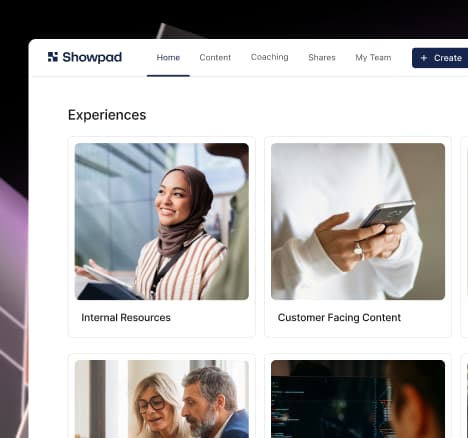
Tools like Showpad’s Automated Content Builder (ACB) help sellers solve the challenge of managing multiple versions of documents, so sales teams always have the most relevant content without sifting through outdated PDFs.
Sellers can automatically extract key slides from lengthy decks — for example, pulling the six most relevant slides from an 85-slide presentation. Plus, teams can build logic that auto-populates recurring presentation elements — agenda items, customer names and logos, value maps, ROI calculator results — giving hours back for discussion prep.
When your customer’s day-to-day is getting more complex by the hour, it’s essential that every interaction adds value.
Engaging collaboration with the ease of digital sales rooms
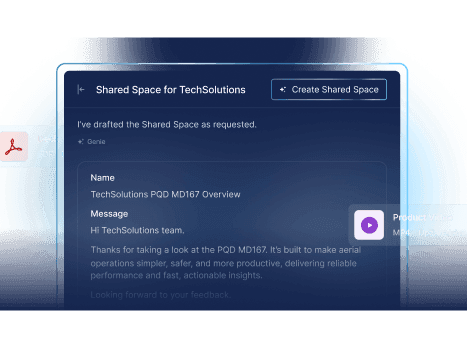
Instead of chasing down email threads or sharing static PDFs that quickly become outdated, your revenue team can also create a digital sales room (DSR) where stakeholders can interact with content on their own time. Shared Spaces — Showpad’s version of a DSR — serve as a secure, centralized hub where teams can store and share QBR-related materials before or after the meeting.
In the face of economic uncertainty, uniting stakeholders becomes even more difficult. Odds are, competing priorities may get in the way of your scheduled meeting, and attendees will opt out. That’s where Shared Spaces comes in.
Shared Spaces can serve as the backbone of your ongoing customer engagement by ensuring managers of end users and members of the buying committee have a single access point to all relevant information about your conversations, so you can maintain momentum and alignment across multiple functions.
With Shared Spaces, sales teams can:
- Upload and organize presentations, supporting documents, and meeting notes in one place — personalized for every customer.
- Make QBRs a two-way conversation by giving customers access to key insights, allowing them to review materials in advance and come prepared with questions and feedback.
- Collaborate with internal stakeholders and customers through real-time comments, and action steps to ensure alignment.
- Track engagement to see which materials resonate most with decision-makers, helping teams refine follow-ups.
Step-By-Step Guide to Upleveling your QBR with Showpad
Step 1: Balance customization with efficiency
- Start by creating a standardized PowerPoint template for your QBR presentations. This affirms every deck follows a consistent structure, saving time and maintaining a high level of professionalism across all accounts.
- Use Automated Content Builder (ACB) to automatically integrate with external data sources like your CRM, so sellers can instantly personalize their content based on the customer.
- Add client-specific insights — such as recent interactions, product usage trends, or customer feedback — and relevant case studies directly from your CRM.
- Pro tip: Set up a standardized content library and templates that integrate with your CRM, so sales teams can easily pull in personalized data and insights without wasting time searching for content. This lets reps focus on meaningful customer engagement instead of administrative tasks.
Intel from the field: Just Eat Takeaway, an online food delivery marketplace, reduced weekly admin time for account managers by up to 50% after centralizing QBR prep in Showpad. By automatically integrating with Salesforce to pull in performance insights and content, their team now spends more time on high-value customer conversations — leading to a 40% increase in post-meeting actions.
weekly admin time for account managers after centralizing QBR prep in Showpad

post-meeting actions after syncing CRM insights and content into Showpad

Step 2: Keep key stakeholders aligned
- Use Shared Spaces to securely share QBR presentations, supporting documents, and additional resources — ensuring all stakeholders have access, no matter their location or time zone.
- Invite immediate input from key decision-makers during the preparation phase, guaranteeing alignment on critical points and allowing for adjustments before the meeting.
- Provide a single source of truth where teams can review materials on their own schedule, reducing reliance on scattered emails and outdated files.
- Pro tip: Set up a dedicated Shared Space for each account to store past QBRs, action items, and ongoing updates — creating a seamless knowledge hub for future meetings.
Intel from the field: Manufacturing giants like HID Global and Bühler use Showpad’s Shared Spaces to confirm all key stakeholders stay aligned, even while working in remote or field locations. By storing QBR materials, feedback, and updates in one centralized hub, these teams can collaborate smoothly across time zones, ensuring everyone is on the same page before and after each meeting.
And when deals stall or buyers go quiet — as they juggle the ripple effects of rapidly evolving budgets and priorities — Shared Spaces give you a way to stay connected without being intrusive. You can share pricing templates, product updates, or new business cases — and track when buyers engage.
It’s a low-pressure way to gain traction, even when cross-sell or renewal decisions are delayed, and to start multithreading deals. Adding potential new mobilizers to Shared Spaces is a safeguard against economic shifts that could affect your main point of contact. Your advocate today may not be your advocate tomorrow.
Step 3: Use engagement insights to prioritize follow-ups
- Identify which areas of content received the most attention from customers — this can indicate key areas of interest or concern.
- Use engagement data to personalize follow-ups.
- For example, if a finance lead spends time poring over the ROI slides, follow up with a cost-benefit analysis. If a technical stakeholder engages with product specs, provide a demo video. Showpad Video is a powerful engagement tool here. Use personalized video content to reinforce key messages, then track how viewers interact,
- Pro tip: Leverage Showpad’s insights to categorize stakeholders by engagement level, assuring your next steps are targeted and relevant.
Intel from the field: Scientific instrumentation company Bruker Applied Mass Spectrometry uses Showpad’s analytics to track engagement, enabling sellers to prioritize follow-ups based on buyer interest. By identifying the most-viewed content, they can tailor outreach to key decision-makers. These insights also guide their content strategy, helping them create new materials that better capture customer attention.
“When your customer’s day-to-day is getting more complex by the hour, it’s essential that every interaction adds value.”
Transform your QBRs with Showpad
QBRs should be an opportunity to strengthen relationships and drive strategic discussions — not a burden of slide formatting and content wrangling. Automated Content Builder keeps presentations up-to-date and tailored, while Shared Spaces centralizes content and collaboration, ensuring everyone stays aligned.
By streamlining prep, improving collaboration, and making data actionable, Showpad turns QBRs into moments that drive business growth. In today’s fast-moving financial environment, teams need tools that help them stay agile, deliver value, and adapt — no matter what socio-economic curveballs come their way.
Looking for more tips and advice?
Download our checklist for 5 expert tips to elevate your next QBR.

Frequently asked questions
A quarterly business review (QBR) is a structured meeting between your team and a customer to review performance, align on goals, and discuss opportunities for growth. QBRs matter for retention because they create a regular forum to demonstrate the value your solution is delivering. When customers clearly see the impact, renewal conversations become far easier.
Digital sales rooms (like Showpad’s Shared Spaces) create a centralized, always-on hub where all QBR-related materials live in one place. This solves several common challenges at once. Stakeholders can review materials before and after the meeting on their own schedule, reducing reliance on scattered emails. Teams can collaborate through real-time comments and action items. And engagement tracking shows you exactly which materials decision-makers are spending time with, so you can tailor your follow-ups accordingly.
Look at both process metrics and outcome metrics. On the process side, track how much time your team spends on QBR preparation, how consistently reviews are being conducted, and how many stakeholders are engaging with materials in your digital sales rooms. On the outcome side, measure the impact on customer retention rates, expansion revenue, and post-meeting action completion. For example, teams using Showpad have seen a 40% increase in post-meeting actions after syncing CRM insights and content into the platform. Over time, these metrics help you refine your QBR process and demonstrate its contribution to revenue growth.